How to Add a Blog to Your Lovable Site Without SEO Risk

Priya had been checking Google Search Console every morning for six weeks. The graph for her homepage looked fine. Everything past it was flat. The question she kept turning over was simple: how do you add a blog to a Lovable site when the whole product shipped as a single page? She'd built it on Lovable, shipped it in a weekend, and picked up a small wave of visitors from a few lucky shares on social media. But nothing was moving through organic search, and she couldn't work out why until a developer friend asked her a blunter version of the same question: how do you add a blog to a Lovable site if there's nothing for Google to crawl past the homepage?
That question is the one most Lovable founders eventually hit. It doesn't show up in week one, when shipping the prototype feels like the whole job. It shows up a few months in, once the initial traffic plateaus and the only lever left is content search engines haven't seen yet.
Why adding a blog to your Lovable site matters more than you think
A Lovable site with one static page is a dead end for search engines. There's nothing new to crawl, nothing to rank for long-tail queries, no signal that the site is alive and updating. Search engines reward sites that keep producing relevant, indexable pages. A homepage alone can't do that no matter how well it converts.
Lovable's own documentation is honest about where its responsibility ends. It covers rendering, metadata, sitemaps, and some search-intelligence tooling, but it says plainly that content strategy is left to the user Theseoagent. That's not a gap in the platform so much as a boundary: Lovable will help your pages get crawled, it won't decide what you publish or how you structure it for search. The platform handles the technical scaffolding; the ongoing work of writing pages search engines want to rank is yours. If you haven't already looked at the rendering and crawl-budget side of this, it's worth reading through how to do technical SEO for AI-built sites without losing search visibility before you pick a blogging approach, because the two problems compound: a blog that's badly structured on a site that's already hard to crawl is worse than no blog at all.
Turning a weekend build into something that actually earns traffic over time means turning your prototype into a sales-ready site, and that includes giving search engines somewhere to keep finding new content. The decision in front of most founders isn't whether to add a blog. It's which of three ways to do it, and each one trades visibility for maintenance in a different place.
Option 1: Hand-coded posts inside your Lovable site
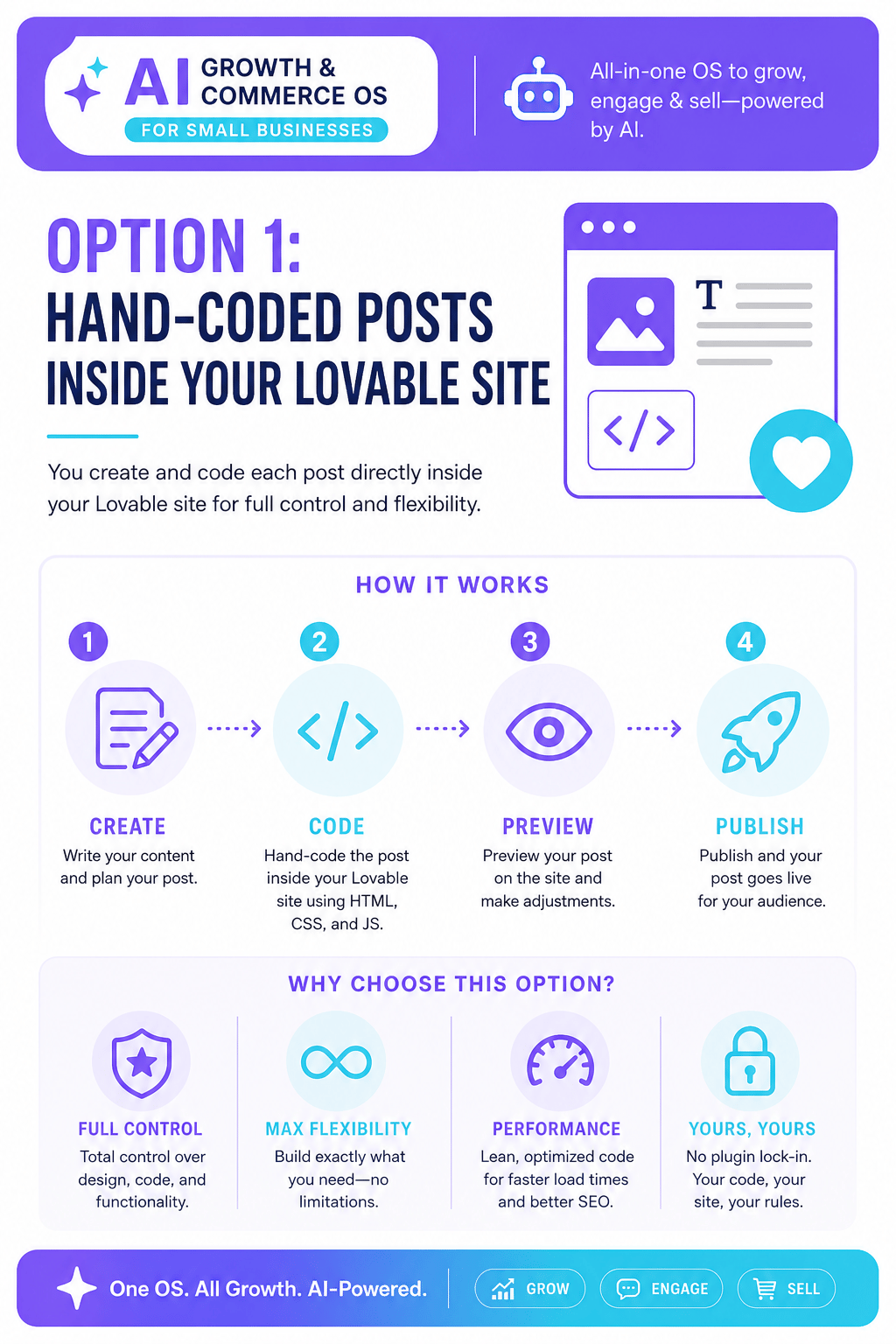
The cleanest answer, on paper, is to build blog pages the same way you built everything else: inside Lovable, on your own domain, fully under your control. Every post gets indexed instantly alongside your main pages. Metadata, internal links, and canonical tags all behave the way the rest of your site does, because it is the rest of your site. There's no second system to maintain, no iframe boundary for Google to puzzle over, no separate login to remember.
The cost shows up a few posts in. Writing and shipping a post by hand, start to finish, means writing the copy, prompting Lovable to build the page, checking the metadata, fixing the layout when it breaks on mobile, and pushing it live. That's a project every time, not a task. One post a sprint feels manageable for a month. By month three it's competing with every other feature request, and the blog quietly stops growing. Founders who choose this route tend to get SEO right and output wrong, which defeats the purpose: a blog that publishes twice a year isn't a content strategy, it's a page that happens to exist. Search engines notice the gaps between posts as much as the posts themselves. A site that published five times in its first month and nothing since reads, to a crawler, as a project that was abandoned.
Option 2: Embed a third-party blogging tool
Tools built specifically for this problem exist, and they're fast. DropInBlog, for example, advertises a three-step setup with no technical work required Dropinblog. For a founder with no time to spend on infrastructure, that's genuinely appealing. You get a working blog in an afternoon instead of a weekend of trial and error inside Lovable's editor.
The risk is less visible than the setup process. Embedded blogging tools often run on a widget that loads content from a different domain than the one your main site lives on, even when the URL looks like it belongs to you. Search engines can struggle to decide whether those pages count as part of your site at all, which means the authority your homepage has built doesn't always transfer to the posts sitting a few clicks away. You can end up with a blog that's easy to publish to and nearly invisible in search results, which solves the maintenance problem while quietly recreating the visibility problem you started with.
Option 3: A platform built to handle both sides at once
The reason this choice feels so binary, hand-code it yourself or hand it to a third-party widget, is that most tooling only solves one half of the problem. Either it gives you full control and no leverage, or it gives you leverage and no control. A platform that treats SEO, content, and the storefront as one system rather than three separate ones removes that trade-off instead of asking you to pick a side of it. Tyashin is built around that idea: one platform that replaces a dozen separate tools for the storefront, chatbot, SEO, and payments, instead of stitching a blog widget onto a site that was never designed to hold one Tyashin.
That matters for a blog specifically because the content and the technical SEO underneath it stop being two separate jobs handled by two separate tools that don't talk to each other. The pages are part of the same site structure Google already trusts, generated and published without turning every post into a manual build. If you're trying to get consistent output without hiring someone to run it, it's worth reading how to do SEO automation without hiring an agency, because the same logic that makes a blog sustainable also makes the rest of your SEO sustainable: the system has to keep working after the first week of enthusiasm wears off.
Picking the option that survives month three
Each of these three paths works for the first few posts. The real test is whether it's still working in three months, when the novelty of having a blog has worn off and it's just another recurring task competing for attention. Hand-coding gives you control but asks for time you probably don't have. A third-party widget gives you speed but asks you to gamble on whether search engines will treat those pages as yours. A platform-level approach asks you to trust a system instead of a workaround, which is a different kind of commitment but a more durable one.
Priya ended up rebuilding her blog a second time, after the embedded tool she'd picked for speed turned out to be invisible in search for exactly the reason above. The second attempt took longer to set up. It's also the one still publishing.
Sources
Have questions or ready to get started?
Get in touch with Tyashin